Instructions
Quick Start – How to Use
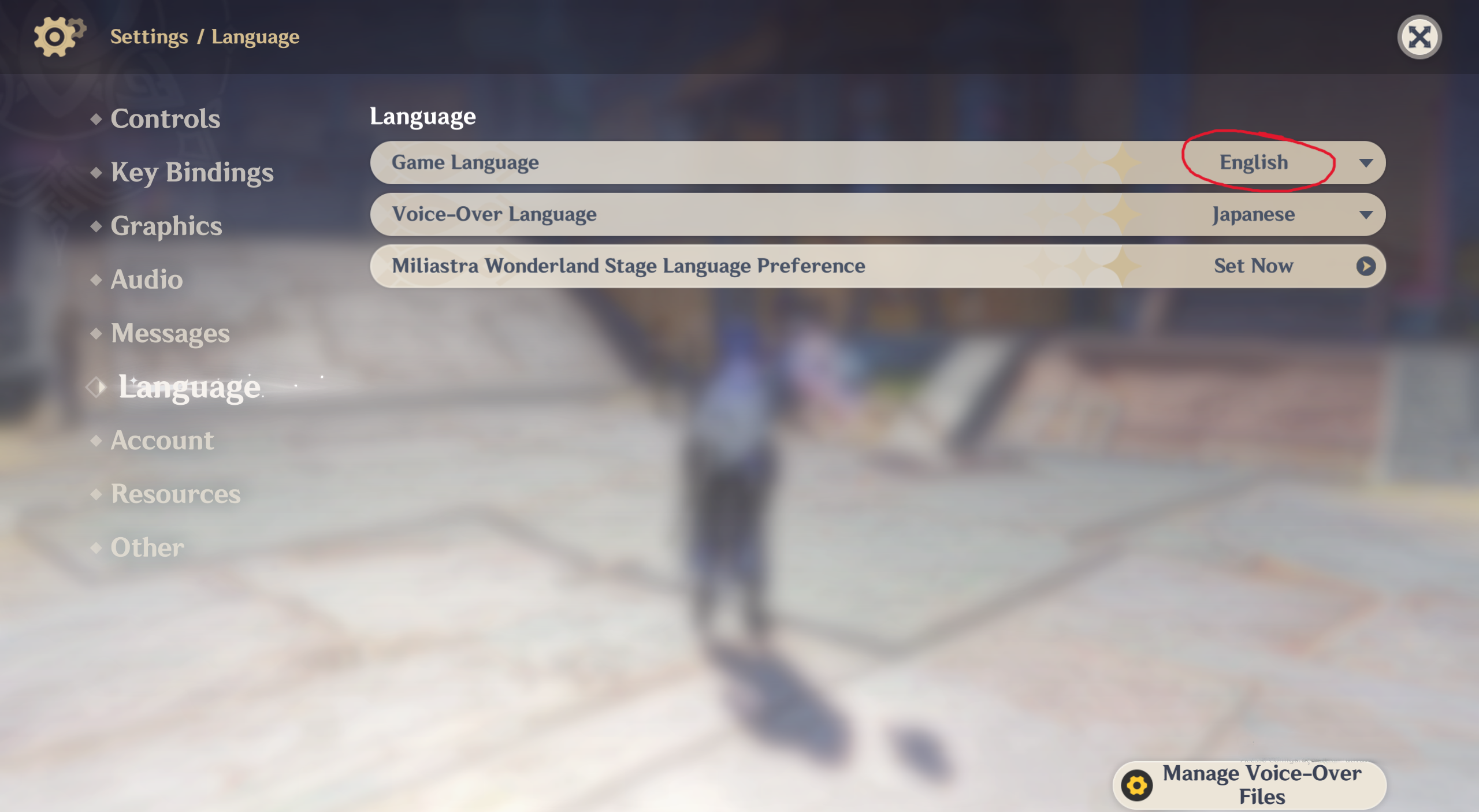
1. Set your game language to English
The artifact text must be in English for correct reading.
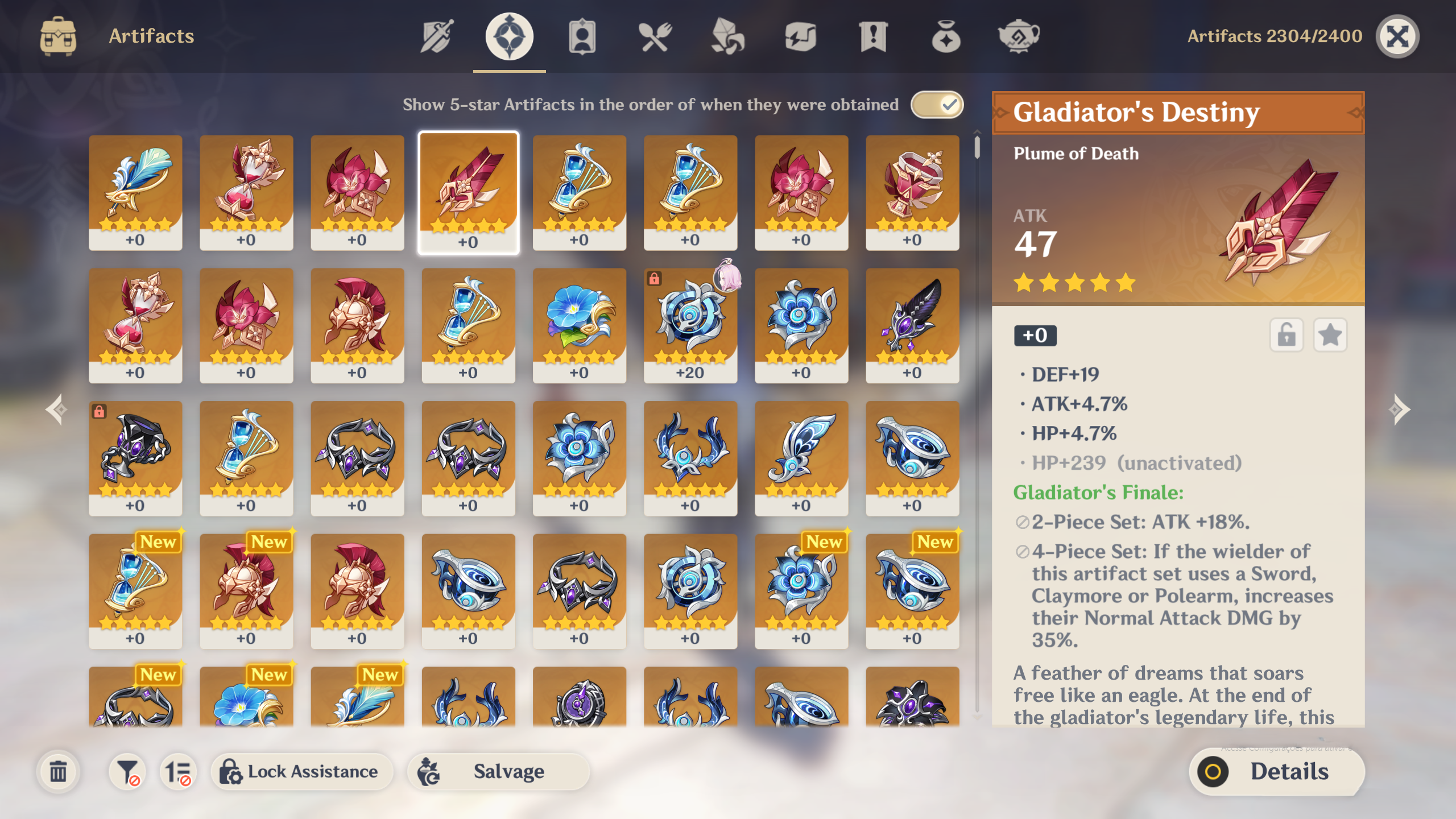
2. Open your inventory and select an artifact
Go to the Artifacts page and open the artifact details screen.
3. Take a screenshot of the artifact
Make sure the full artifact info is visible. Take the screenshot from the full game screen.
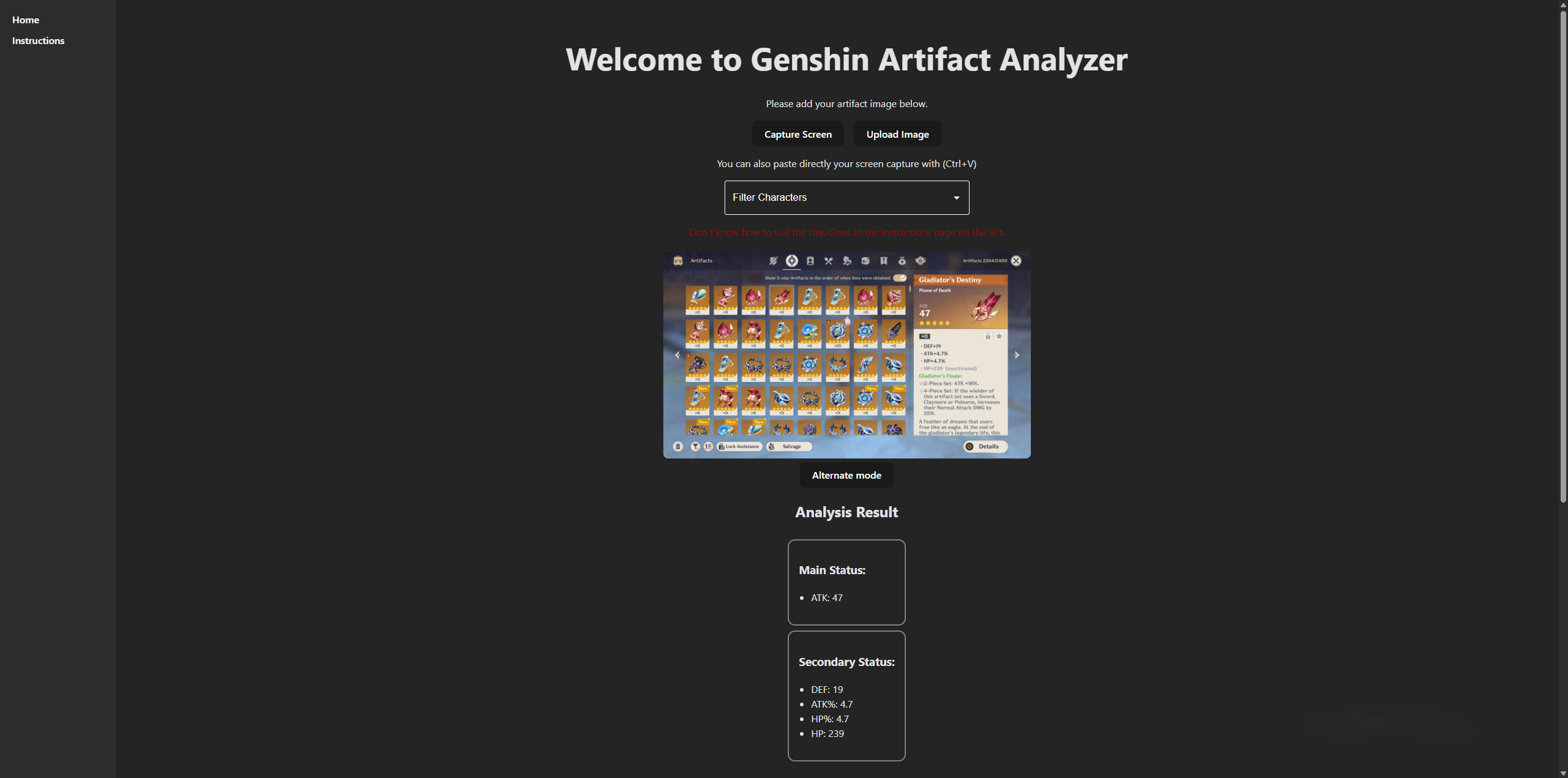
4. Upload or paste the image
Upload the screenshot or paste it directly if you’re on a computer.
5. Check the analysis results
See if the artifact stats were read correctly
Discover which characters can use it best
Switch between Simple and Advanced modes for more detail
Detailed guide
1. Change the game language to English.
2. Open your inventory and navigate to the artifacts page.
3. Select the artifact you want to analyze and take a screenshot of the screen. It should looks like the image below.
4. Save and upload it to the website, or paste it directly if you’re on a computer.
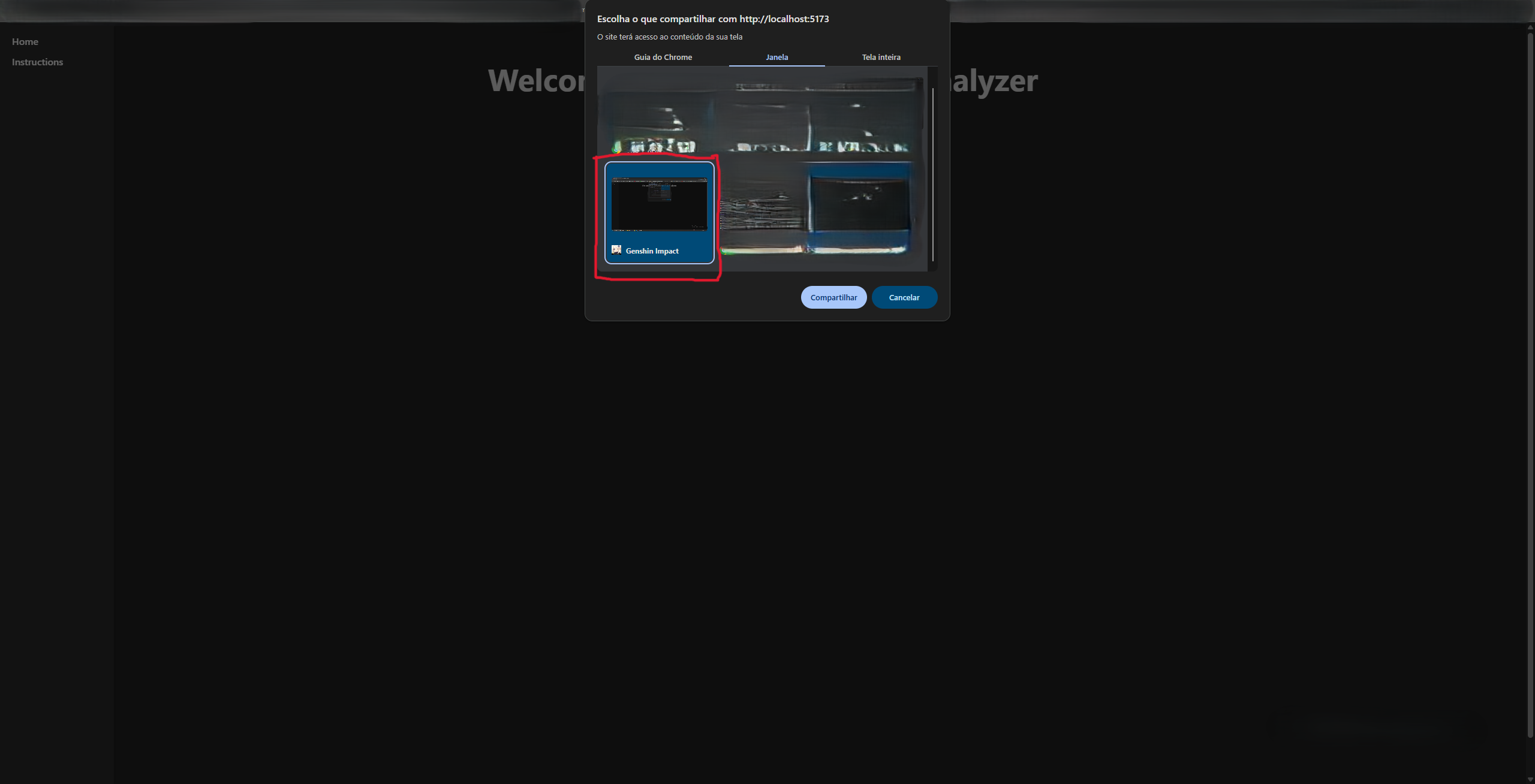
5. You can also capture the game screen directly on your computer.
6. Once the image is uploaded, you will have an analysis about the artifact you printed. You will see first, the information the system read about the artifact, then a list of characters and information about how good of bad the artifact is for that character. In next step we will cover how to read this analysis result.
7. Analysis Explanation
You will have 2 analysis modes. You may alternate between them with the button "Alternate_mode":
- Simple mode: only tells if the artifact is Excellent, Good, Bad, Very Bad, etc, for a character.
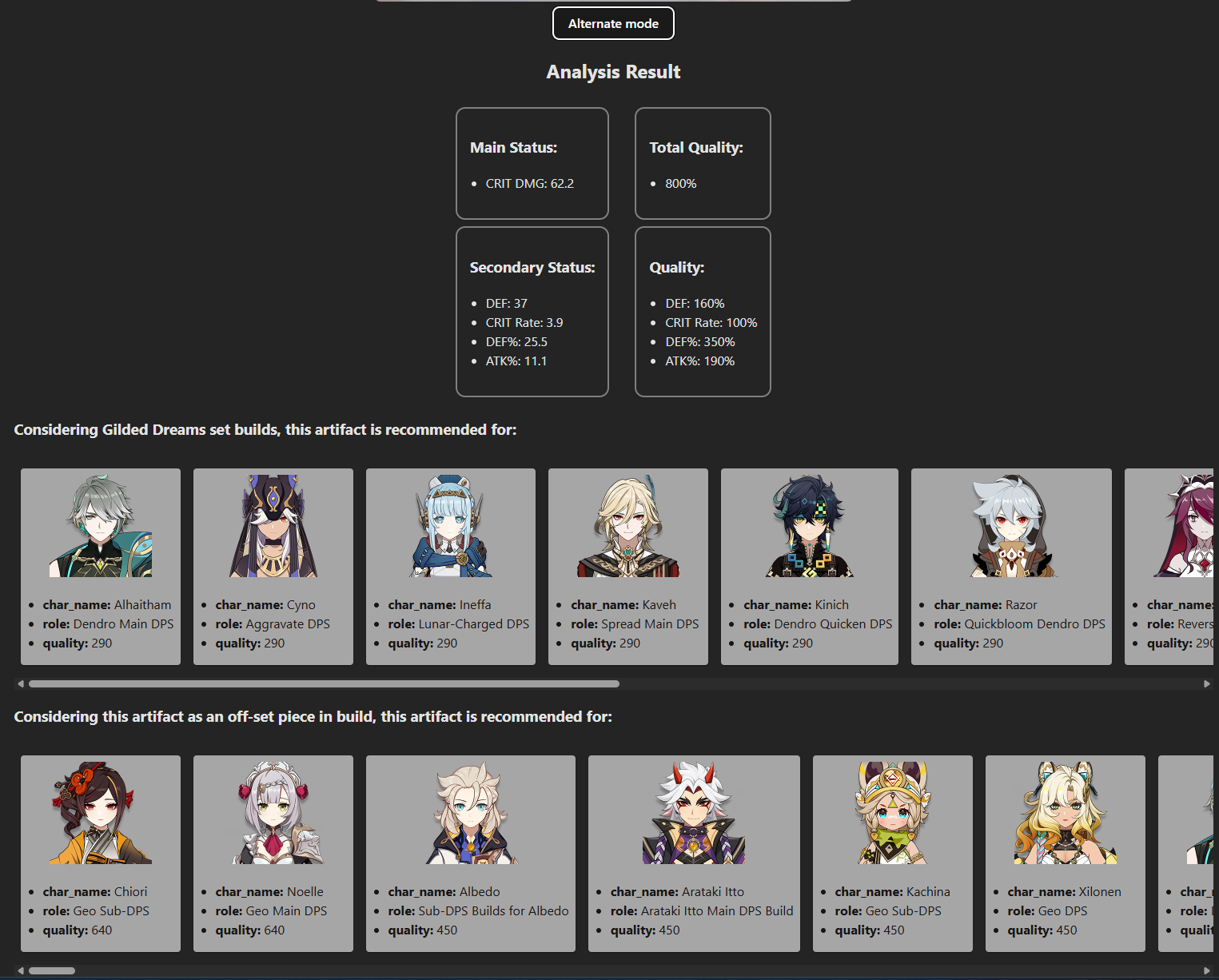
- Advanced mode: shows in percentage of quality how good the artifact is for that character.
Deeper Explanation
1. Simple Mode
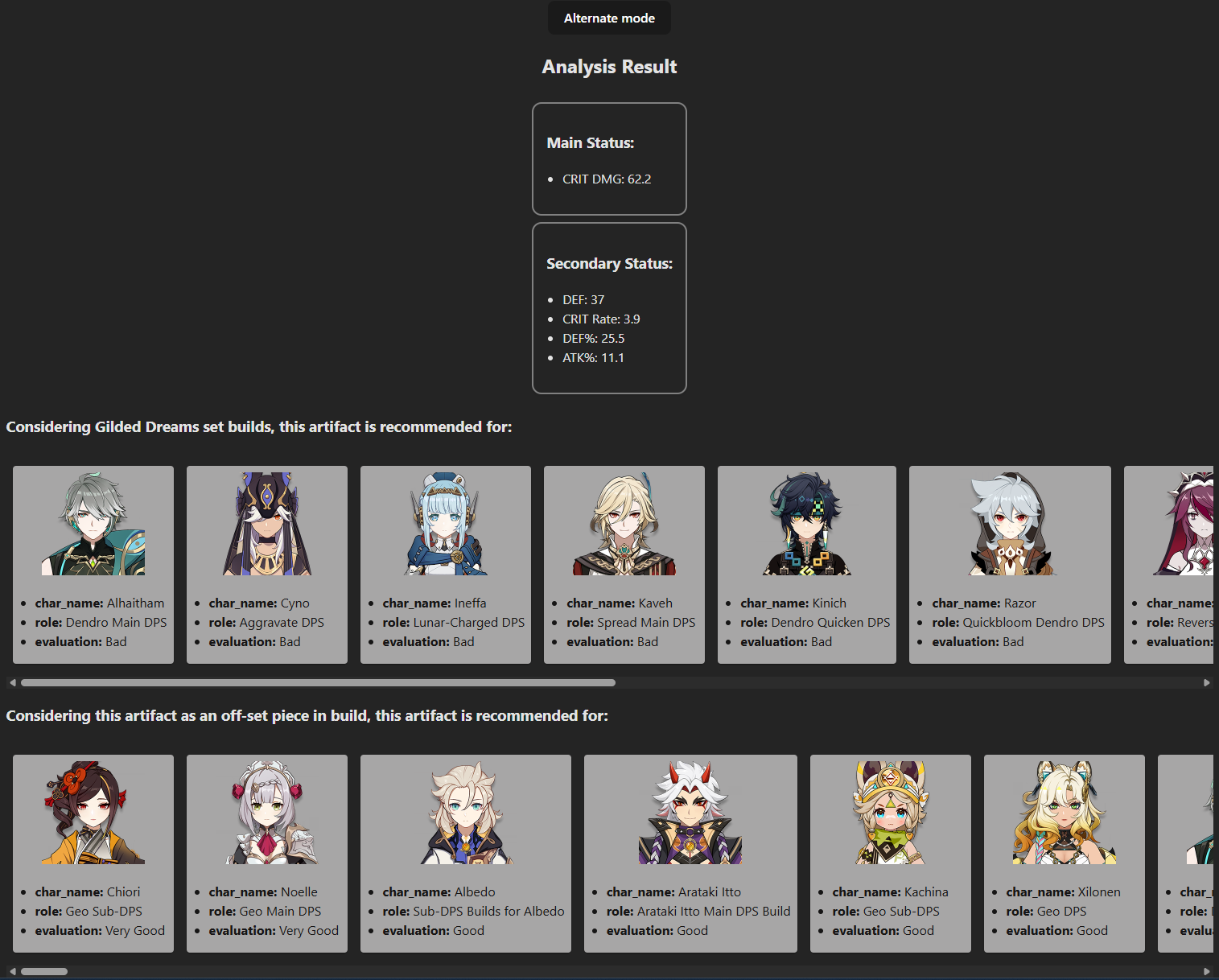
It shows the status read from the artifact, so that you can confirm if the reading process was done correctly. Beyond this you will see two lists of characters:
- The first shows only characters for which the piece read with its main status would be right in any recommended build for that artifact set.
- The second list is similar, but shows all characters that may use that piece with that main status in any of their builds as an off-set piece.
Example: Consider the image below. The Circlet artifact shown has Crit DMG as main status, and the first character in the first list is Alhaitham.
This means that Alhaitham as Dendro Main DPS would benefit from a Circlet with this main status from the Gilded Dreams set.
Considering the second list, Chiori as Geo Sub-DPS appears first because Crit DMG as main status in a circlet is good for her in this build.

2. Advanced Mode
When you alternate mode, you can access the advanced mode.
Substatus that upgraded multiple times during artifact upgrade will have more accumulated quality.
In Chiori's case, only flat DEF is ignored for quality because it's normally not recommended for her build.
Summary
The analysis allows you to evaluate which characters benefit most from an artifact in each situation.